Appearance
Stripe Settings
You should test in the stripe testing mode to understand how things work.
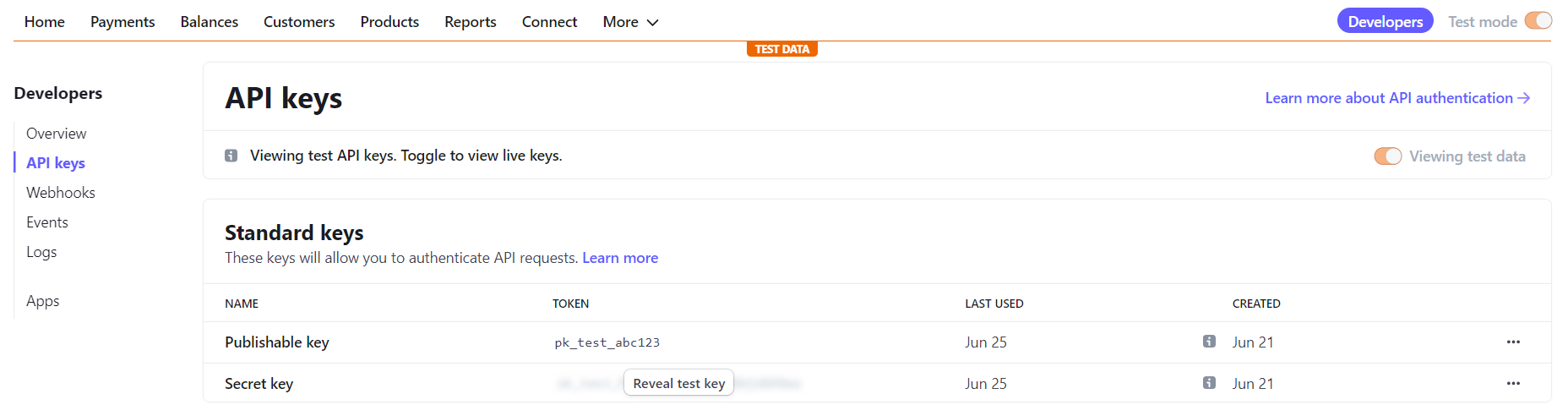
API Keys
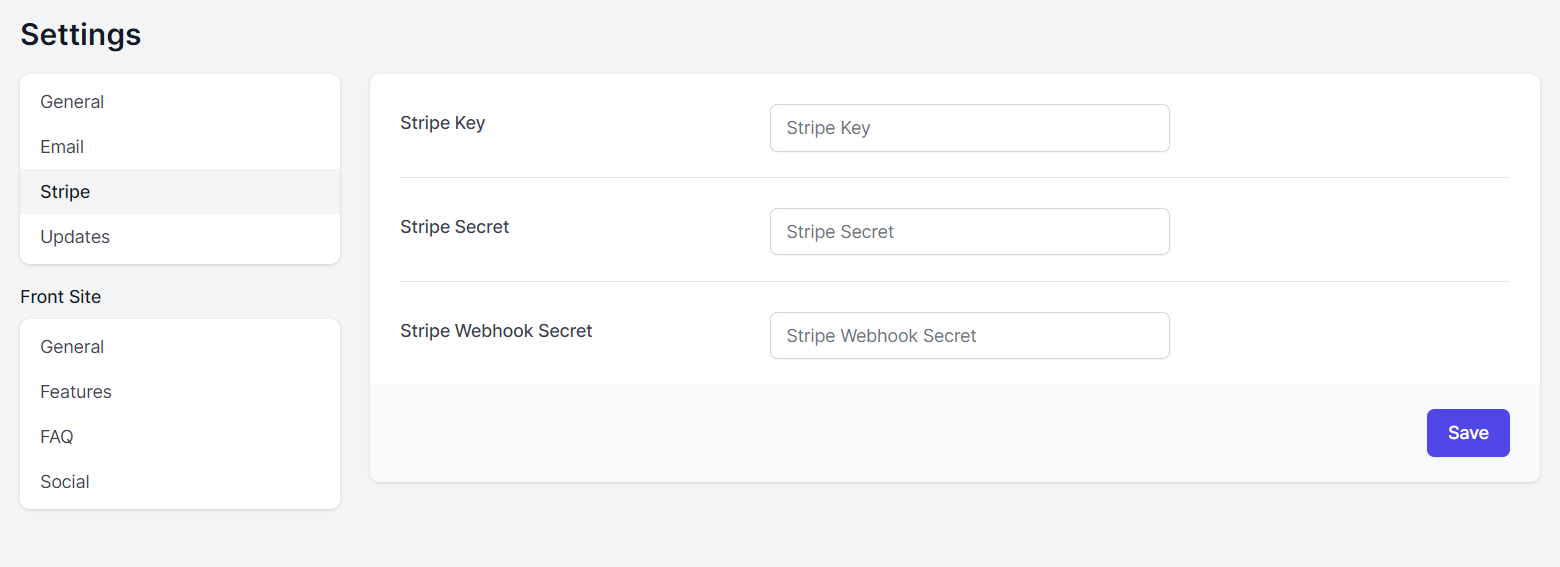
Update stripe key and stripe secret.
Go To Settings -> Stripe
Stripe Webhook
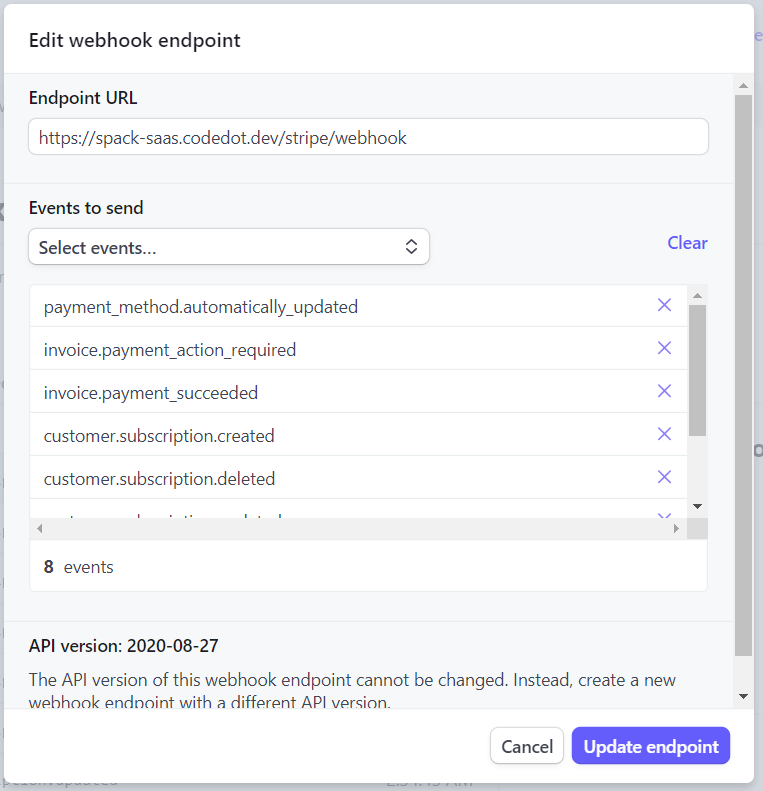
Setup stripe webhook is important, follow the guide:
stripe Endpoint URL will be like that:
http://yourdomain.com/stripe/webhook
and you have to add these 8 events in the stripe webhook.
- customer.subscription.created
- customer.subscription.updated
- customer.subscription.deleted
- customer.updated
- customer.deleted
- payment_method.automatically_updated
- invoice.payment_action_required
- invoice.payment_succeeded
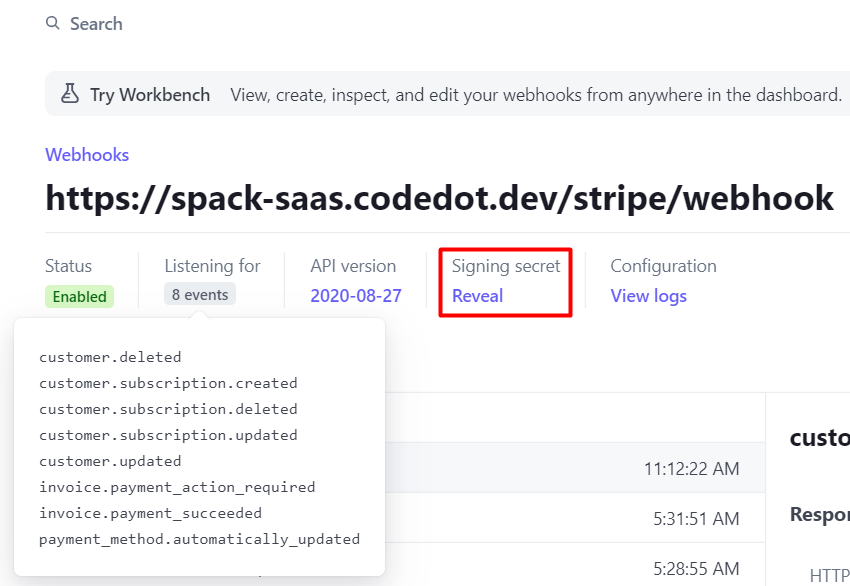
then you have to update Stripe Webhook Secret in the spack saas settings
Go To Settings -> Stripe
paste the secret here in Stripe Webhook Secret field
Stripe Plans
You have to create products in the strip.
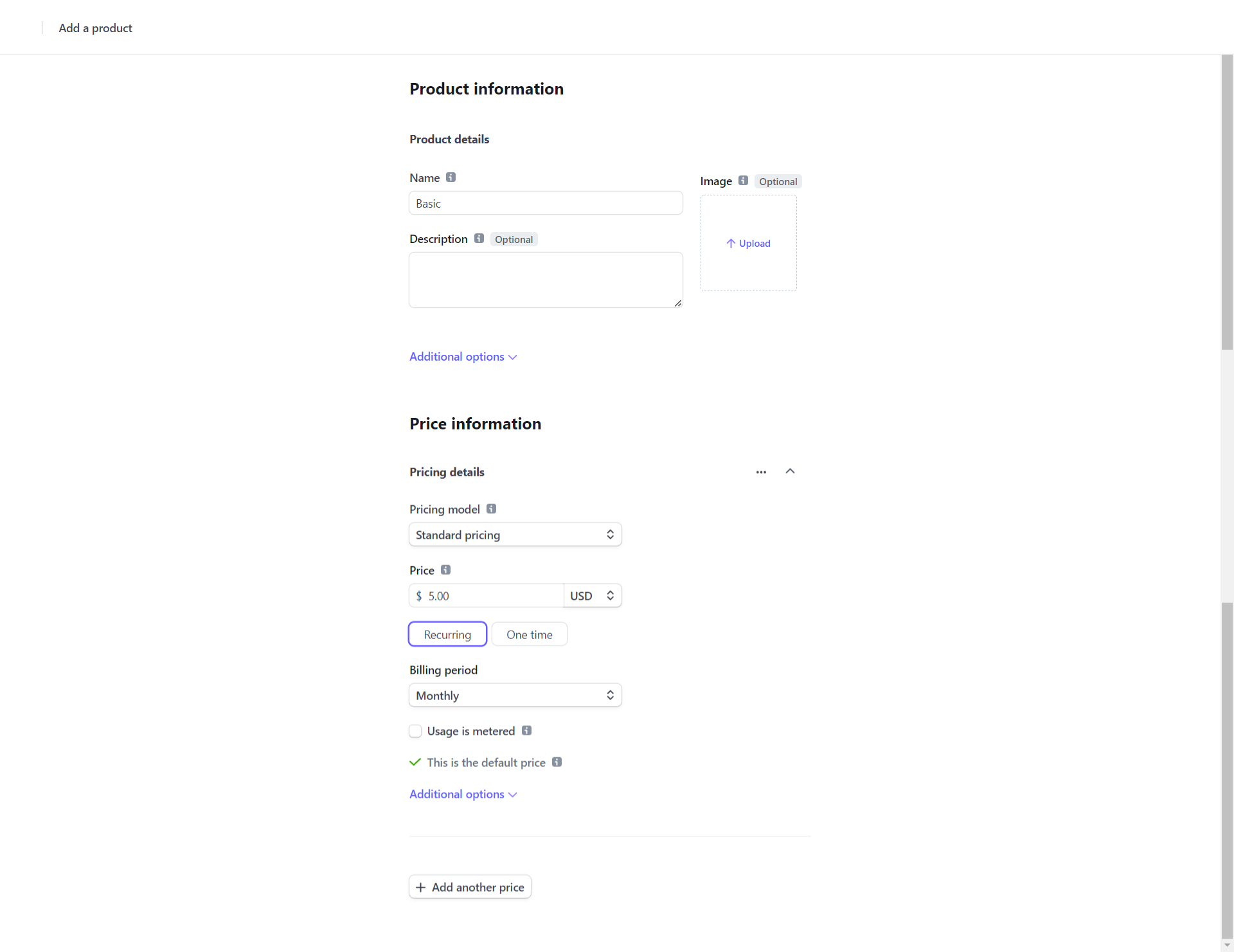
then you have to copy the stripe product price id.
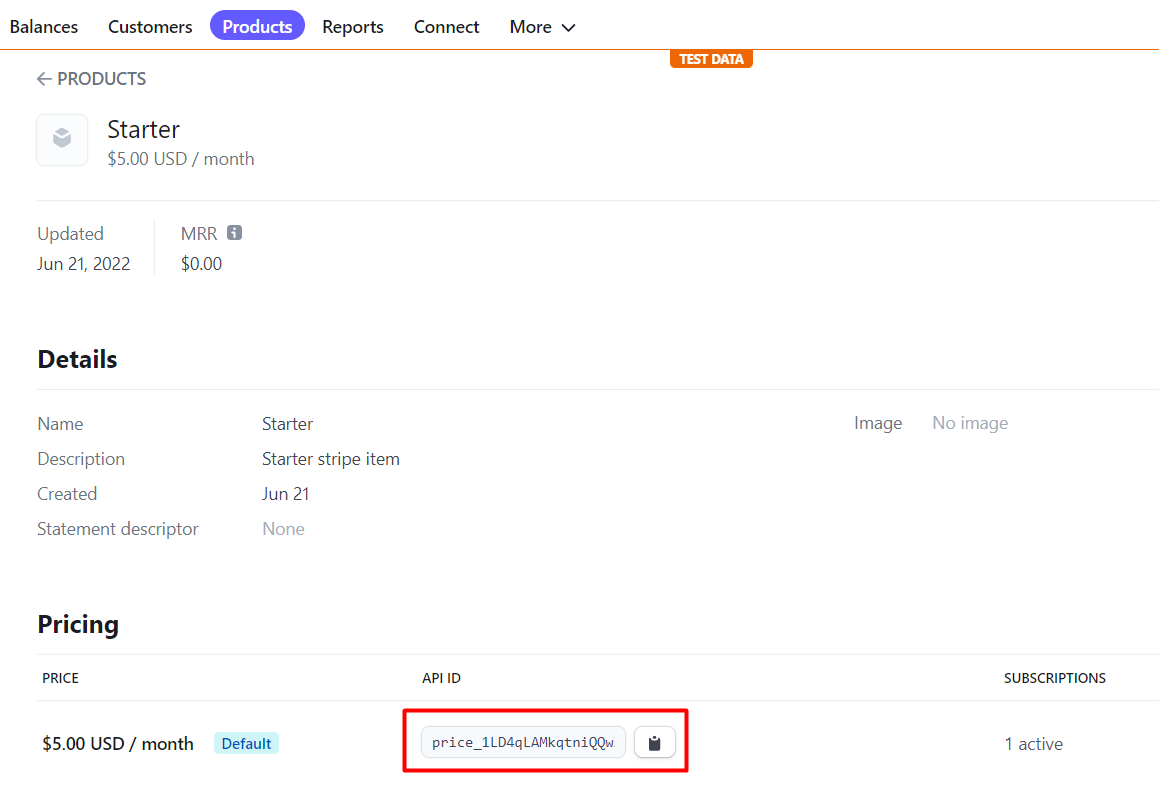
then you have to create a plan and paste this price id here:
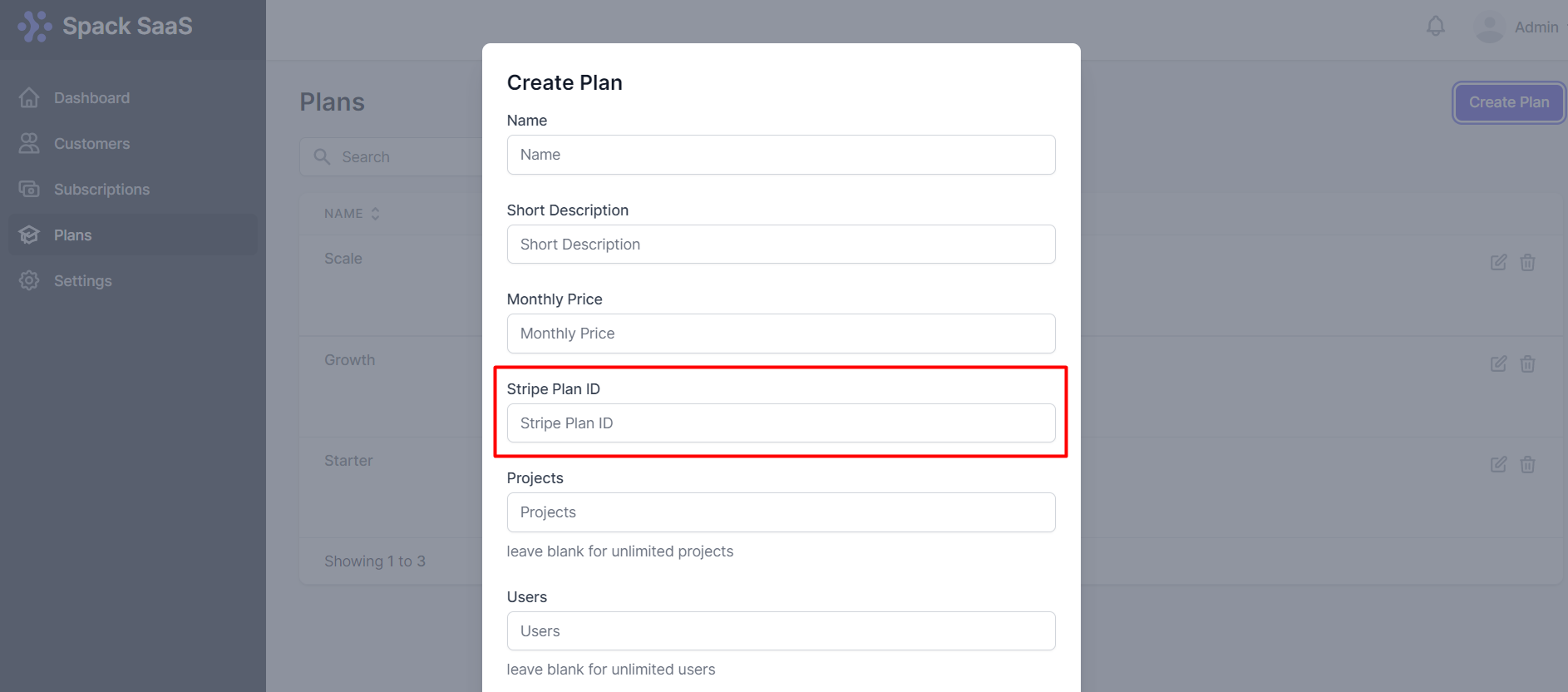
That's it.